Lent Money
Track money you've lent to others. Each loan is an asset — it's counted in your net worth as money owed to you.
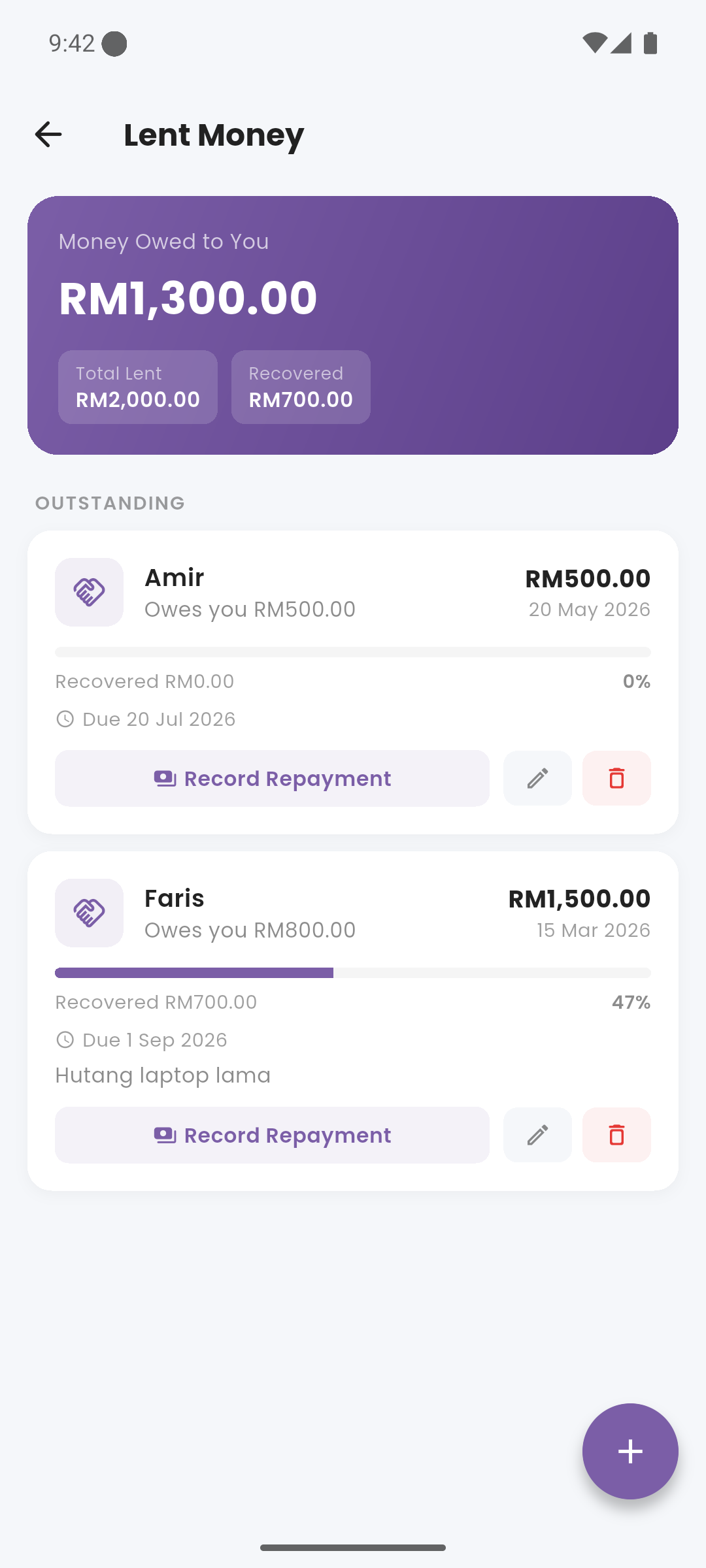
Lent Money screen with outstanding loans
lightbulb How It Works
When you lend money, Expenses records it as money that left one of your accounts — reducing that account's balance — but it's still yours. It's treated as an asset, not an expense. As repayments come in, the outstanding balance decreases and the money returns to your chosen account.
add_circle Adding a Loan
Access Lent Money from the Quick Links on the dashboard. Tap + to create a new loan. Enter the borrower's name, the amount lent, the account it was lent from, the date, and an optional note. The amount is debited from that account immediately.
currency_exchange Recording a Repayment
Open a loan and tap "Record Repayment". Enter the amount repaid and the account to credit. A structured transaction is created, the loan balance decreases, and the receiving account balance increases accordingly.
account_balance Net Worth Impact
Outstanding lent money appears as an asset in the Net Worth card on the dashboard. When the loan is fully repaid, it is marked complete and removed from the asset total.
receipt Partial Repayments
You can record multiple partial repayments over time. Each one chips away at the outstanding balance. The loan card shows the original amount, amount repaid to date, and remaining balance.
Lent Money does NOT count as income. It's a transfer of your own assets. Only when a repayment is received does the money return to your account balance.