Commitments
Commitments are your fixed monthly obligations — rent, subscriptions, loan instalments, insurance. They're tracked separately because they leave your account before you spend anything discretionary.
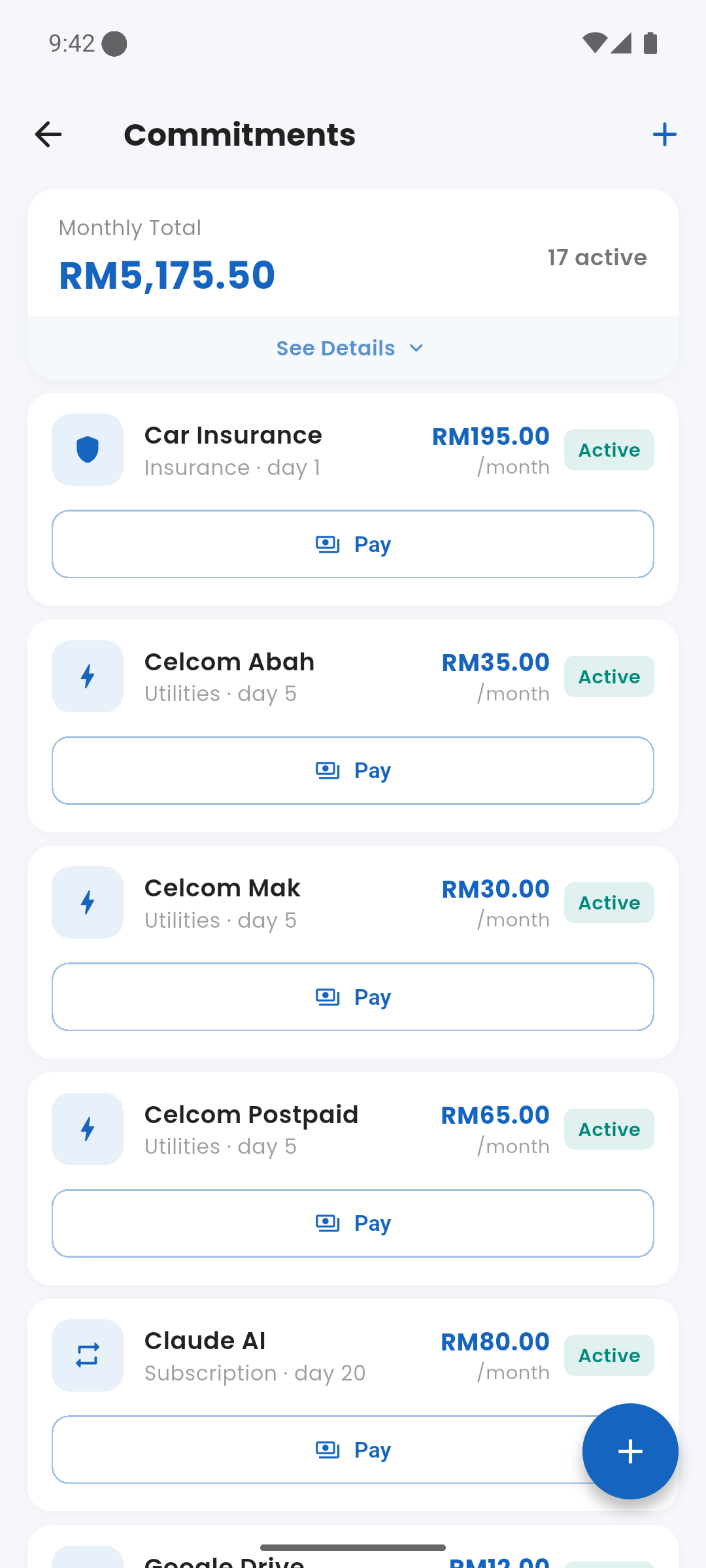
Commitments screen in Settings → Finance Tools
lightbulb Why Separate from Expenses?
Regular expense tracking counts commitments alongside coffee and groceries — making it look like you're "spending" when you're actually just honouring obligations. Expenses separates them so your transaction history only shows discretionary spending, and your financial capacity is calculated correctly.
label Commitment Categories
Common categories include:
- Rent / Mortgage
- Vehicle Loan
- Personal Loan
- Credit Card Minimum
- Subscription
- Insurance
- Utility (fixed)
- Education
- Others
add_circle Adding a Commitment
Go to Settings → Finance Tools → Commitments and tap +. Enter the name, amount, due date (day of month), and category. Once saved, it appears on the dashboard's Upcoming Bills card whenever it is due within 7 days.
check_circle Marking as Paid
Tap a commitment to open it, then tap "Mark Paid". This creates a structured expense transaction linked to the commitment and records the payment for the current cycle. The commitment resets automatically on the next cycle.
pause_circle Active vs. Paused
You can pause a commitment temporarily — for example, a subscription you've put on hold. Paused commitments are excluded from capacity calculations. Resume them at any time from the commitment detail screen.
Commitments are deducted from your financial capacity whether or not they're marked paid. Marking paid creates the actual expense record and removes the item from the Upcoming Bills list.