Debts
Debts tracks your outstanding liabilities — personal loans, car loans, credit cards. Each payment reduces the outstanding balance and feeds into your Debt Service Ratio.
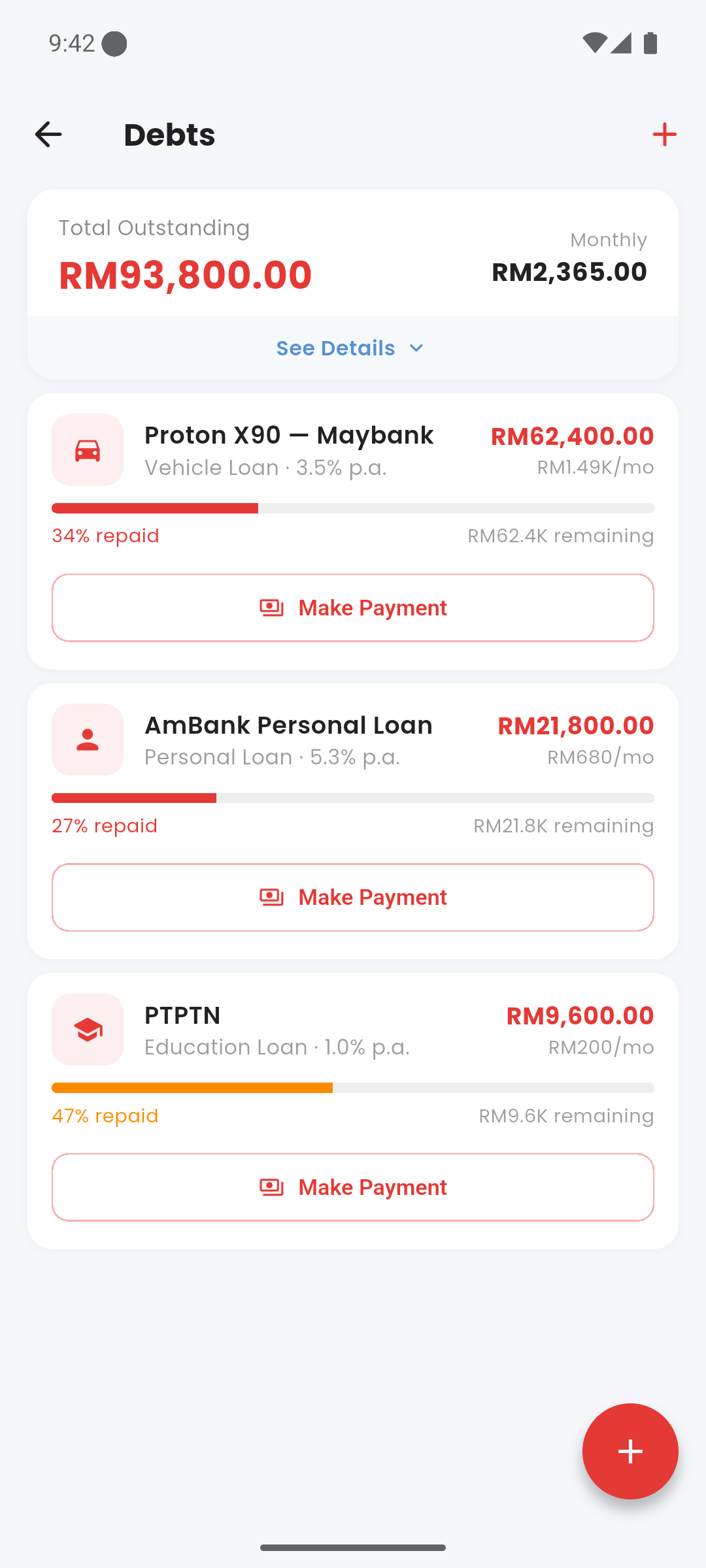
Debts screen showing outstanding balances and DSR
category Debt Types
- Personal Loan
- Car Loan / Hire Purchase
- Home Loan / Mortgage
- Credit Card
- PTPTN — student loan
- Others
add_circle Adding a Debt
Go to Settings → Finance Tools → Debts and tap +. Enter the lender name, total outstanding balance, monthly instalment, and debt type. The monthly instalment is used to calculate your DSR and is deducted from your financial capacity.
payments Recording a Payment
Open a debt and tap "Record Payment". Enter the amount paid. This creates a structured expense transaction and reduces the outstanding balance accordingly.
percent DSR — Debt Service Ratio
Your DSR is calculated as: Total Monthly Debt Instalments ÷ Gross Monthly Income × 100%. Use the table below as a reference for where you stand.
| DSR Range | Status |
|---|---|
| Below 30% | Healthy |
| 30 – 40% | Moderate |
| 40 – 60% | Elevated — banks may be cautious |
| Above 60% | High — financial stress zone |
done_all Debt Payoff
When an outstanding balance reaches zero, the debt is marked as fully paid. Fully paid debts are excluded from capacity calculations and DSR. They remain visible in history for your records.
Debts affect two things simultaneously: the monthly instalment reduces your financial capacity, and the outstanding balance is a liability in your net worth calculation.