Accounts
Accounts represent where your money lives — bank accounts, cash wallets, and e-wallets. Expenses tracks balances across all of them.
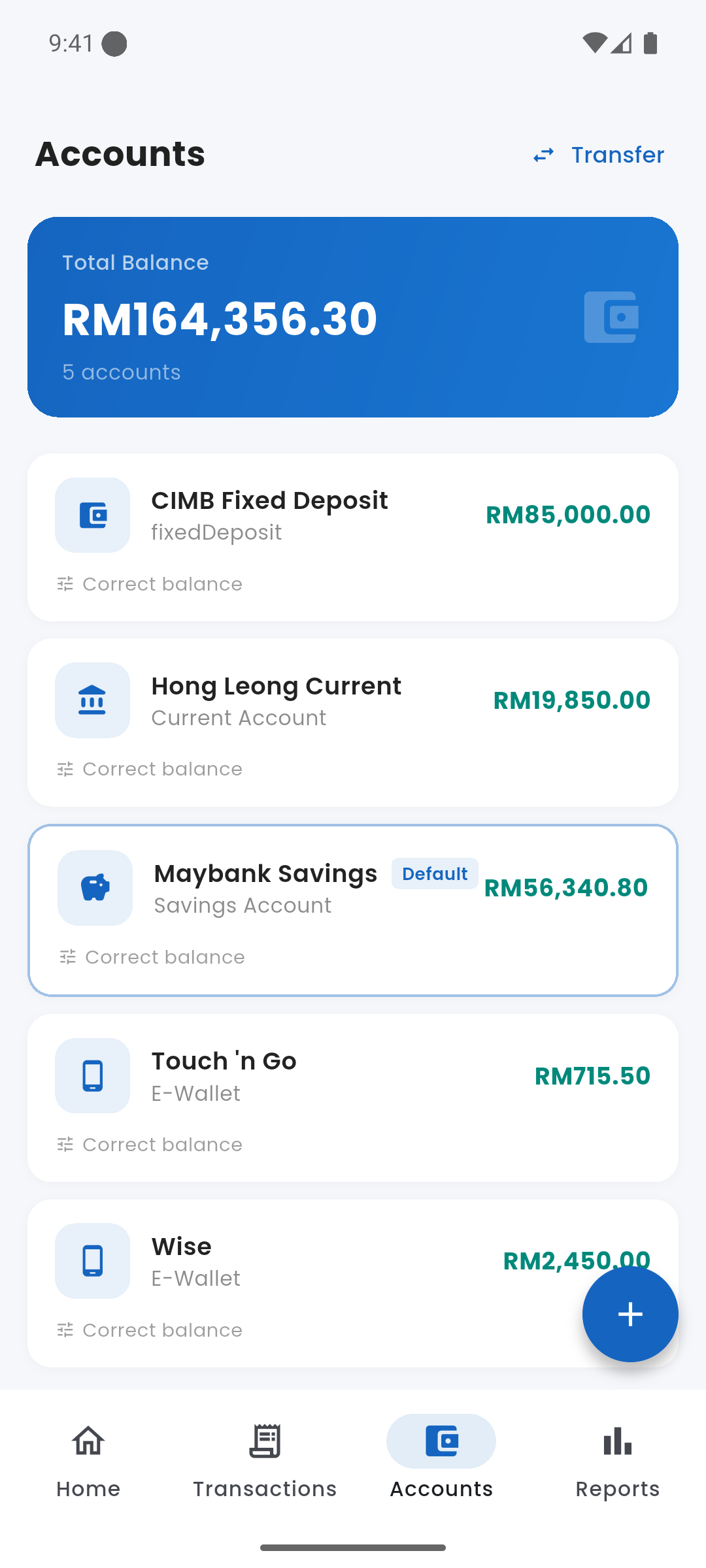
Accounts screen showing balances
category Account Types
- Bank Account — linked to a real bank
- Cash — physical cash you carry
- E-Wallet — digital wallets like Touch 'n Go, Boost, GrabPay
add_circle Adding an Account
From the Accounts tab, tap the + FAB. Enter a name, select a type, and set the opening balance (your current balance). You can add as many accounts as you need.
star Default Account
One account is marked as the default. New transactions automatically pre-select it. Change the default from the account detail screen.
edit Balance Correction
If your balance drifts from reality (e.g., you forgot to log something), go to the account detail and use "Correct Balance". This creates a silent adjustment transaction to reconcile the difference.
swap_horiz Transfers Between Accounts
Use the Transfer tab in the Add Transaction sheet to move money between accounts. This does not count as income or expense — it only moves the balance.
delete Deleting an Account
You can delete an account from its detail screen. All transactions linked to that account will also be deleted. This is irreversible — export a backup first if needed.
Deleting an account permanently removes all transactions linked to it. Make sure you've backed up your data first.