GVAPP-BMC turns the classic 9-block canvas into a real-time, multiplayer workshop tool. Everyone joins from their own laptop or tablet over WiFi and edits together live — no sticky notes, no single person holding the marker.
What Is a Business Model Canvas?
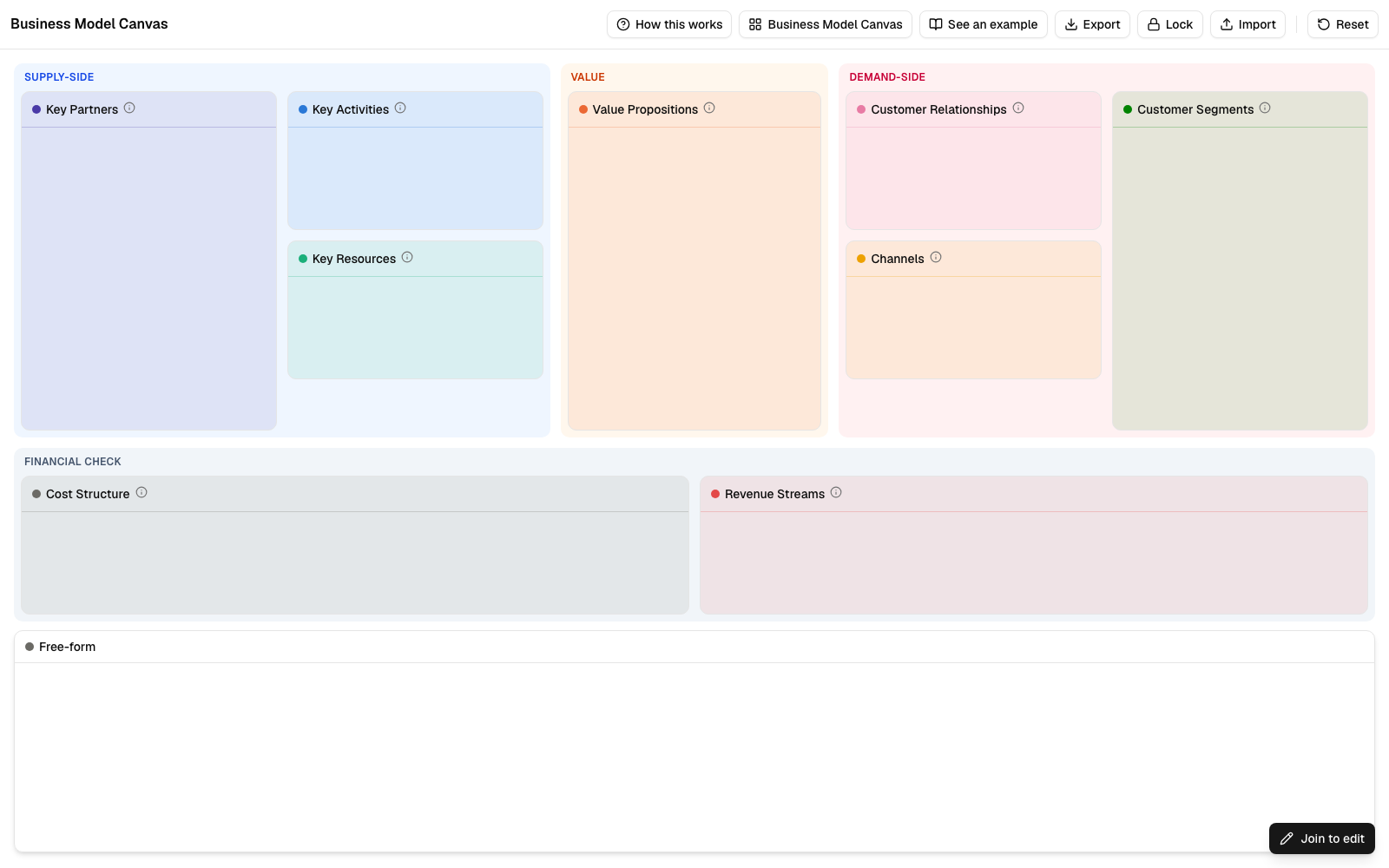
The Business Model Canvas is a strategic framework — created by Alexander Osterwalder — for describing and testing how a business actually works, without writing a 40-page plan. It breaks a business down into 9 connected blocks: who you're creating value for, what that value actually is, how you deliver and get paid for it, and what it costs to run.
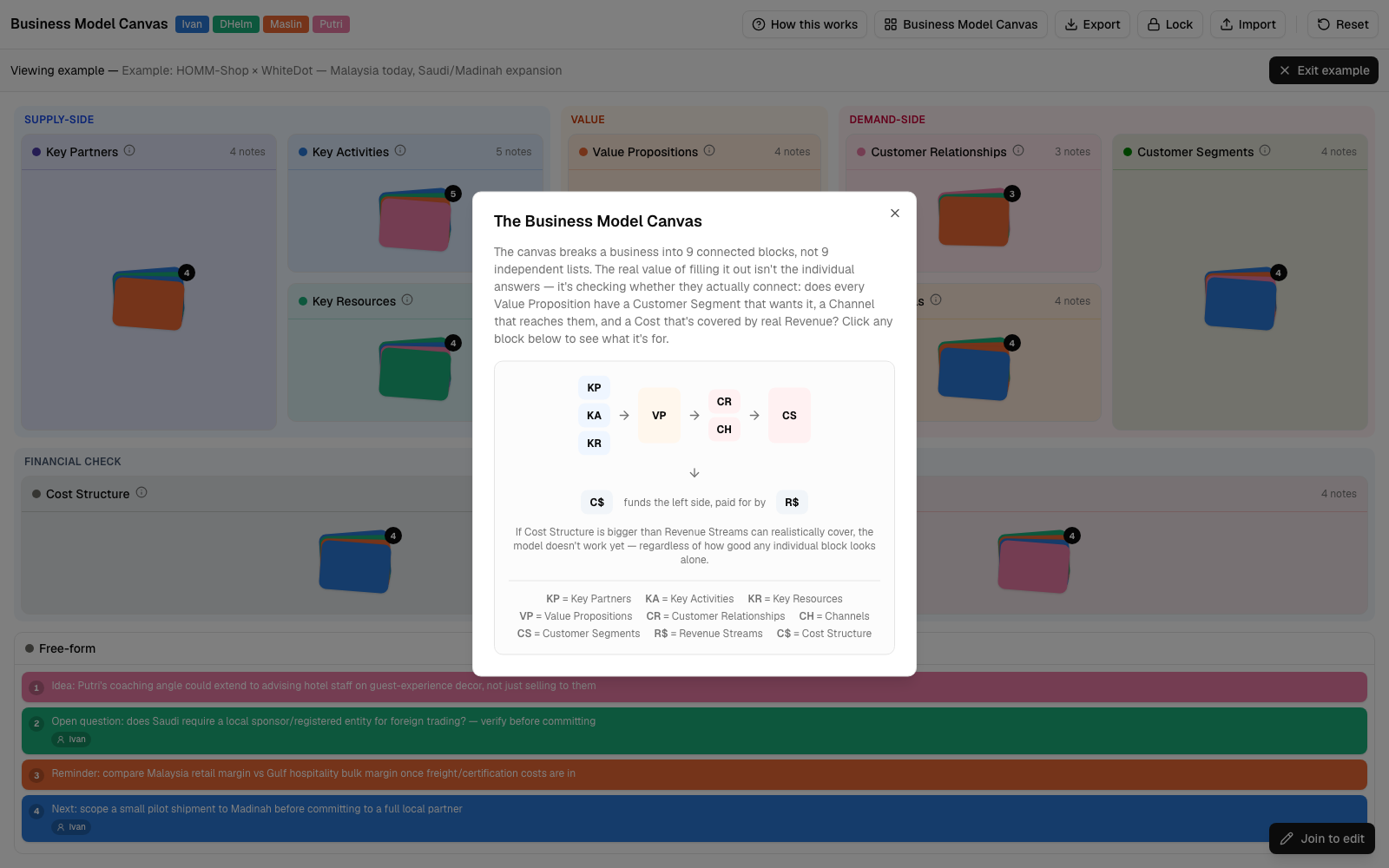
The real value isn't filling in each block on its own — it's checking whether they connect. Does every Value Proposition have a Customer Segment that actually wants it, a Channel that reaches them, and a Cost that's covered by real Revenue? That's the question a workshop is really trying to answer.
GVAPP-BMC (the app) starts every session with this exact empty grid — grouped into Supply-side, Value, Demand-side, and Financial zones — so the structure itself does some of the teaching before anyone writes a single note.
The Problem It Solves
A printed poster and a pack of Post-its works — until half the room can't reach the wall, someone's handwriting is illegible, and the whole thing disappears the moment the workshop ends.
Features
Not a generic whiteboard — a tool shaped around the actual Osterwalder Business Model Canvas.
See everyone's cursor moving in real time, Figma-style. Notes sync instantly across every connected device the moment they're added or moved.
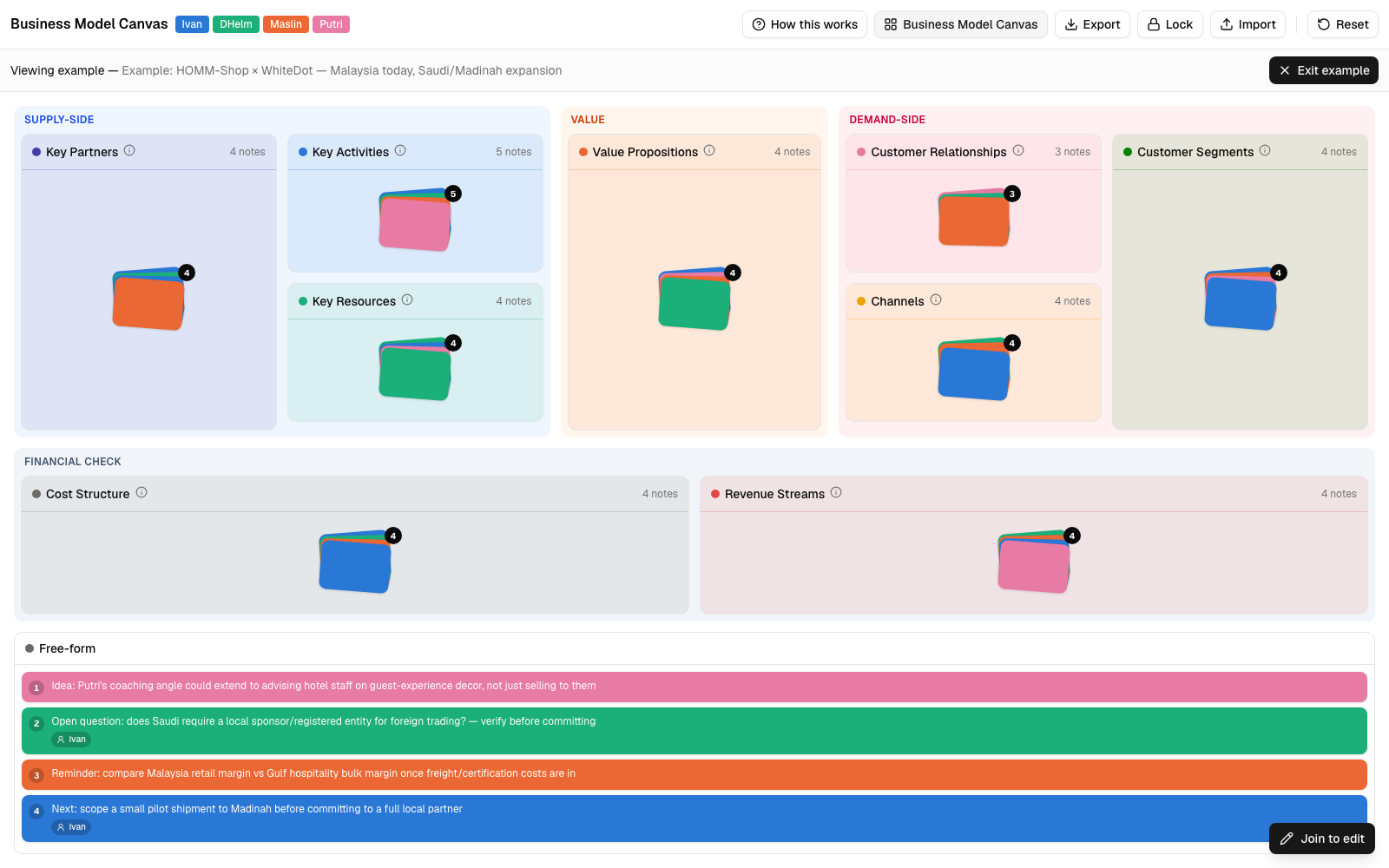
Not a generic sticky-note board — the actual Osterwalder 9-block layout, grouped into Supply, Value, Demand, and Financial zones so the structure teaches itself.
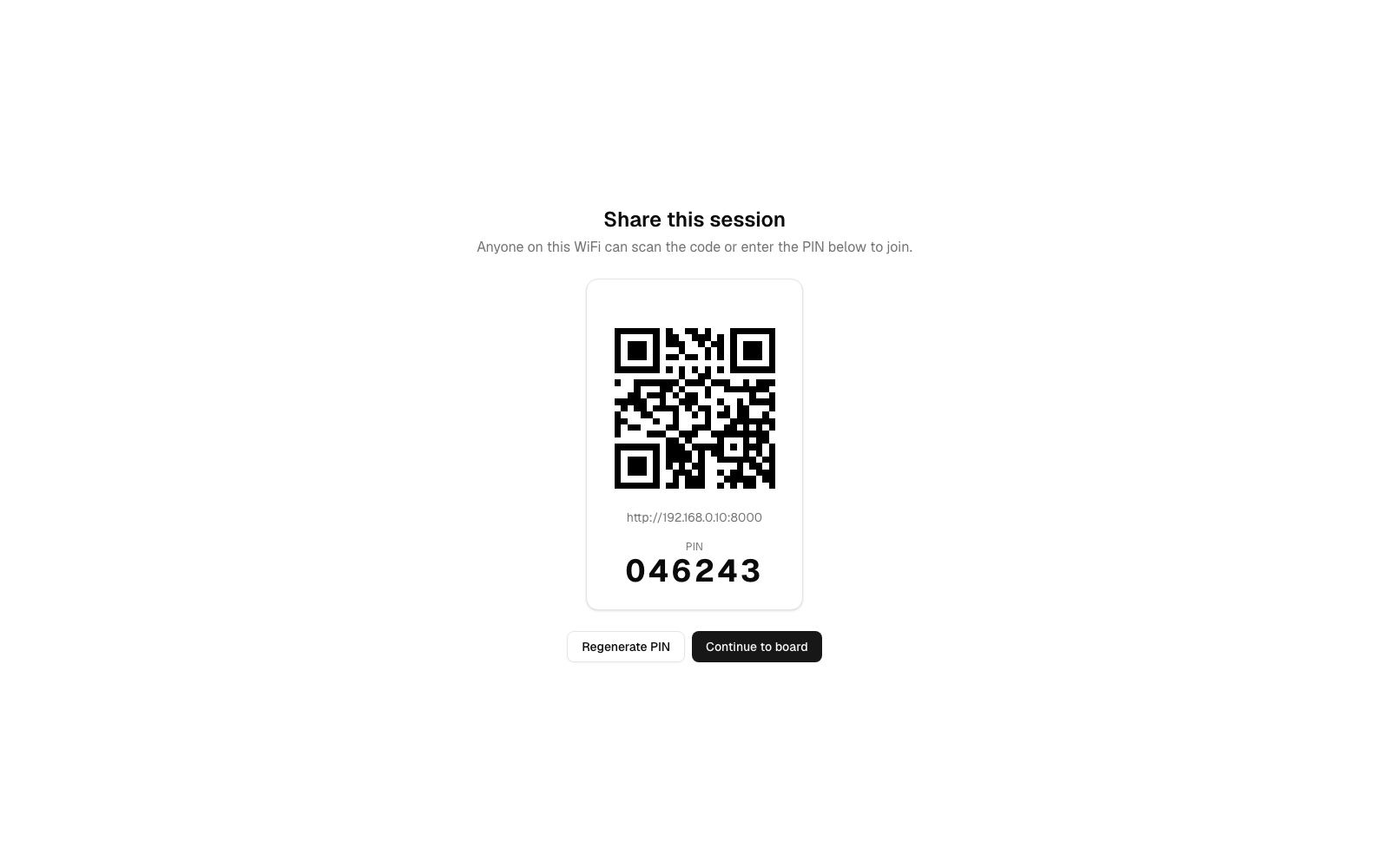
No accounts, no sign-ups. The host starts a session, shares a PIN or QR code, and anyone on the same WiFi is in within seconds.
Not sure what goes where? A built-in guide explains each block and how they connect — click any block in the diagram to see what it's for.
Authorship and ownership are different things. Tag any note with who's actually responsible for it — independent of who typed it during the session.
Lock the board once the workshop's done to freeze edits and enable printing, export a JSON snapshot for later reuse, or reset the board for the next session.
How It Works
One person downloads it. Everyone else just needs a browser and the WiFi you're already on.
Unzip and double-click one file. No install, no PHP or dependencies to set up — it just starts and opens your browser.
Click Start Session and a PIN and QR code appear. Anyone on the same WiFi scans or types it in to join.
Everyone adds, drags, and discusses notes live. Lock the board when you're done, then export or print the result.
See It in Action
The Canvas
All 9 sections grouped into Supply, Value, Demand, and Financial zones, with a live participant roster up top.
Joining
Scan the QR or type the PIN — anyone on the same WiFi is editing within seconds, no account needed.
The Guide
Not sure how the blocks connect? Click any block in the built-in diagram to see what it's for.
Runs entirely on your own laptop over your local WiFi — nothing is sent to the cloud, no accounts, no data leaves the room.